×

注意!页面内容来自https://www.dospara.co.jp/tfc-pc-google.html,本站不储存任何内容,为了更好的阅读体验进行在线解析,若有广告出现,请及时反馈。若您觉得侵犯了您的利益,请通知我们进行删除,然后访问 原网页

パソコンでGoogleを使う方法と基本設定

パソコンでgoogleをもっと使いこなしたい方へ

パソコンでgoogleを使う場面は、検索・メール・地図・翻訳・ファイル管理など、日常の作業のあらゆるところに広がっています。 使っているつもりでも「ログイン方法があいまい」「ChromeとGoogleの違いがよくわからない」「設定をどう調整すれば便利になるのか知りたい」と感じる場面は意外と多いはずです。

この記事では、パソコンでgoogleを快適に使うための基本設定から、検索・Gmail・YouTube・マップ・翻訳など主要サービスの便利な使い方までをひとつずつ丁寧にまとめています。

掲載日:

<> .snsButtonElement ul{ list-: none; display: flex; gap:0.5rem; align-items: center; flex-wrap: wrap; } .copybutton-box{background: #cbcbcb;padding: 2px;border-radius: 4px;} .copybutton-box button{font-size: 12px;padding: 2px;}

    もくじ

<> .tfc-pc-digest-image{ margin-top: 30px; } .tfc-pc-digest-text { text-align: center; font-size: 17px; background: #004da1; color: white; } @media screen and (max-width: 767px) { .tfc-pc-digest-text { line-height: 1.5em; padding: 5px; font-size: 15px; text-align: left; } } .article-list-block { display: none; } .model_list_wapper-sticky-01 { width: 100%; margin: 0 auto; } .model_list_wapper-sticky-01 .model_list_inner { width: 100%; margin: 0 auto; padding: 0; box-sizing: border-box; } .model_list_wapper-sticky-01 .model_list_inner .model_list_area .table_wapper table { width: 100%; table-layout: fixed; border-collapse: separate; border-bottom: 1px solid #ccc; border-right: 1px solid #ccc; font-size: 13px; line-height: 1.4; } .model_list_wapper-sticky-01 .model_list_inner .model_list_area .table_wapper table th { width: 100px; background: #eee; font-weight: bold; padding: 10px 0; } .model_list_wapper-sticky-01 .model_list_inner .model_list_area .table_wapper table th.model_list_wapper-sticky-01 .model_list_inner .model_list_area .table_wapper table td { padding: 10px 1%; box-sizing: border-box; border-top: 1px solid #ccc; border-left: 1px solid #ccc; text-align: center; vertical-align: middle; } @media screen and (max-width: 767px) { .model_list_wapper-sticky-01 { width: 100%; margin: 0 auto; } .model_list_wapper-sticky-01 .model_list_inner { width: 100%; margin: 0 auto; position: relative; padding: 0; } .model_list_wapper-sticky-01 .model_list_inner .model_list_area { margin: 0 auto; width: 100%; } .model_list_wapper-sticky-01 .model_list_inner .model_list_area .table_wapper { overflow-x: scroll; } .model_list_wapper-sticky-01 .model_list_inner .model_list_area .table_wapper table { width: 100% !important; } .model_list_wapper-sticky-01 .model_list_inner .model_list_area .table_wapper table th { width: 100px; position: sticky; left: 0; z-index: 1; font-size: 12px; } .model_list_wapper-sticky-01 .model_list_inner .model_list_area .table_wapper table td { font-size: 12px; } } .table_wapper { margin: 10px 0; } .model_list_wapper-sticky-01 .model_list_inner .model_list_area .table_wapper table { margin-left: 0.2em; } div.model_list_wapper-sticky-01 + h3 { margin-top: 22px; } div.model_list_wapper-sticky-01 + h4 { margin-top: 20px; } .model_list_wapper-sticky-01 .model_list_inner .model_list_area .table_wapper table th { text-align: left; } .model_list_wapper-sticky-01 .model_list_inner .model_list_area .table_wapper table td { text-align: left; } div.snsButtonElement{ margin-bottom: -10px; } #toc ul { margin-left: 0.3em; } li.toc-level-h1{ margin-left: 0.1em; line-height: 1.3em; text-indent: -0.3em; } #toc a,#toc2 a { font-size: 0.9em; padding-left: 0.2em; text-decoration: none; color: #004da1; } #toc .toc-level-h2#toc2 .toc-level-h2{ line-height: 1.3em; margin-top: 0.5em; margin-left: 0.9em; text-indent:-1.2em; } #toc .toc-level-h3#toc2 .toc-level-h3{ line-height: 1.3em; margin-top: 0.5em; margin-left: 1.6em; text-indent: -1.2em; } #toc .toc-level-h4#toc2 .toc-level-h4{ line-height: 1.3em; margin-top: 0.5em; margin-left: 2.3em; text-indent: -1.2em; } .list-disc { list-: disc; list--position: outside; margin-left: 2rem; } .list-number { list-: decimal; list--position: outside; margin-top: 10px; margin-left: 2rem; } .seo_sample_page_main .seo_sample_page_top{ margin-bottom: -10px; } @media screen and (max-width: 767px) { .seo_sample_page_main .seo_sample_page_top{ margin-top: 25px; } } .seo_sample_page_main section { margin-top: 45px; margin-bottom: 45px; } @media screen and (max-width: 767px) { .seo_sample_page_main section { margin-top: 30px; margin-bottom: -10px; } } .seo_sample_page_main p { line-height: 1.5; margin-top: 10px; margin-left: 0.2em; } @media screen and (max-width: 767px) { .seo_sample_page_main p { margin-top: 5px; } } .seo_sample_page_main h1{ font-size: 23px; line-height: 1.2; font-: normal; } @media screen and (max-width: 767px) { .seo_sample_page_main h1{ line-height: 1.2; font-size: 18px; font-: normal; } } .seo_sample_page_main h2{ font-size: 23px; line-height: 1.2; padding: 1.0%; font-: normal; font-weight: normal; } @media screen and (max-width: 767px) { .seo_sample_page_main h2{ font-size: 18px; line-height: 1.2; } } .seo_sample_page_main .h2-box{ margin-top: 30px; padding-top: 0.2%; } @media screen and (max-width: 767px) { .seo_sample_page_main .h2-box{ margin-top: 20px; } } .seo_sample_page_main h3{ line-height: 1.2; font-size: 20px; margin-bottom: 10px; font-: normal; } @media screen and (max-width: 767px) { .seo_sample_page_main h3 { font-size: 18px; margin-top: 15px; margin-bottom: 5px; } } .seo_sample_page_main h3 + p{ margin-top: -5px; } .seo_sample_page_main h4 + p{ margin-top: -5px; } @media screen and (max-width: 767px) { .seo_sample_page_main h3 + p{ margin-top: 0px; } } .seo_sample_page_main h4 { font-size: 16px; line-height: 1.5; margin-top: 10px; margin-bottom: 5px; margin-left: 0.2em; } @media screen and (max-width: 767px) { .seo_sample_page_main h4 { font-size: 15px; } } .list-disc{ margin-top: 10px; margin-bottom: 15px; } @media screen and (max-width: 767px) { .list-disc { margin-left: 1.5rem; } } .list-disc li{ margin-top: 10px; line-height: 1.3; } .list-number{ margin-bottom: 15px; } @media screen and (max-width: 767px) { .list-number{ margin-left: 1.5rem; } } .list-number li{ line-height: 1.3; margin-top: 10px; } } .model_list_area .table_wapper{ margin: 20px 0; } ul.articlelinkList2 li{ line-height: 1.5; padding: 10px 0; } div.btn-area-width-01{ margin-top: 0px; } @media screen and (max-width: 767px) { div.btn-area-width-01{ margin-top: 10px; } } p.pick-up { font-weight: bold; } .c-button--primary-white{ padding-left: 7%; padding-right: 7%; }

パソコンでgoogleにログインする基本手順と安全な使い方

パソコンでgoogleを使い始めるには、まずGoogleアカウントにログインしておく必要があります。ログインしていると、Google検索、Gmail、YouTube、Googleドライブなどを同じアカウントで利用できて、普段の作業が続けやすくなります。 スマホとパソコンを同じアカウントにしておくと、履歴やブックマークが共有されて便利です。

ここでは、初めて利用する人でも進めやすいように、基本手順と安全に使うためのポイントを紹介します。

パソコンでgoogleにログインする手順

パソコンでgoogleへログインする操作は難しくありませんが、流れを知っておくとスムーズに進められます。Googleアカウントを持っていない場合でも、その場で無料作成ができます。

パソコンでgoogleにログインする手順は、次のようになります。

  • ブラウザでGoogleトップページを開く
  • 画面右上の「ログイン」を選ぶ
  • メールアドレスまたは電話番号を入力する
  • パスワードを入力してログインを進める
  • 二段階認証が設定されている場合は、認証操作を行う

これらの流れを理解しておくと、パソコンからgoogleサービスを落ち着いて使い始められます。

パソコンでgoogleを使う時に別ブラウザを利用する場合のポイント

Chrome以外のブラウザ(Edge、Firefoxなど)でも、パソコンでgoogleのサービスを問題なく利用できます。ただし、ブラウザごとに機能の違いがあるため、複数ブラウザを使う人は特徴を知っておくと使いやすくなります。

パソコンでgoogleを使う時に別ブラウザを利用する場合のポイントは、次のようになります。

  • パスワード保存の仕組みがブラウザごとに異なる
  • ブックマークの移行はインポート機能で行える
  • Chrome専用の拡張機能は、一部Edgeでも利用可能

これらを理解していると、どのブラウザでもパソコンでgoogleサービスを扱いやすくなります。

パソコンでgoogle検索を使いやすくする設定と便利な操作

パソコンでgoogle検索を使うと、多くの情報を素早く調べられますが、初期設定のままだと検索結果が見づらいと感じる人もいます。

検索方法や表示設定を少し調整するだけで、目的の情報にたどり着きやすくなるため、日常の作業が楽になります。また、検索履歴の管理やカスタマイズを行うことで、自分の使い方に合った検索環境を作ることもできます。

パソコンでgoogle検索の表示を使いやすくする設定

パソコンでgoogle検索を見やすくするには、検索結果の表示内容を把握しておくと便利です。特に、検索件数や表示方法を理解すると、情報を探すスピードが変わります。

パソコンでgoogle検索の表示を使いやすくする設定は、次のようになります。

項目 内容 効果
表示件数 10件〜100件に変更可能 一度に確認できる情報量が増える
セーフサーチ オン・オフ切替 不要な情報を抑えたい場面に役立つ
検索期間設定 過去1時間〜指定期間 古い情報を除いて調べられる
フォントサイズ調整 ブラウザ機能を利用 自分の見やすい表示に変更できる

これらの違いを理解しておくと、必要な情報にたどり着きやすくなり、パソコンでgoogle検索をより快適に使えます。

パソコンでgoogle検索の履歴を管理して活用する方法

検索履歴は、過去に調べた内容をもう一度確認したい時に便利な機能です。履歴を管理しておけば、必要な情報を素早く見つけられるようになります。検索内容を見返したい人や、仕事で調べものが多い人にとって特に役立つ機能です。

パソコンでgoogle検索の履歴を管理して活用する方法は、次のようになります。

  • 「マイアクティビティ」から検索履歴を確認できる
  • 履歴が不要な場合は削除や一時停止が可能
  • パソコンとスマホで、同じGoogleアカウントなら履歴が共有される
  • 履歴を利用したおすすめ表示の調整もできる

これらを意識しておくと、パソコンでgoogle検索をより効率よく利用できるようになります。

パソコンでgoogle検索の表示内容を調整したい場合の設定

検索結果の表示を調整したい時は、Googleアカウントやブラウザ側の設定を見直すことで、自分に合った検索環境に近づけられます。検索傾向を変えたい時にも役立つ調整です。

パソコンでgoogle検索の表示内容を調整したい場合の設定は、次のようになります。

  • Googleアカウントの「データとプライバシー」で表示内容を調整する
  • パーソナライズ検索のオン・オフを切り替える
  • ログイン状態を変えて検索傾向を調整する

こうした設定を行っておくと、自分に必要な情報を探しやすくなり、パソコンでgoogle検索がより扱いやすくなります。

パソコンでgoogleアカウントを使ってGmailを利用する方法

パソコンでgoogleアカウントを利用すると、Gmailでメールの送受信ができて、連絡のやり取りがとても便利になります。スマホのGmailアプリよりも画面が広く、複数のメールを並べて確認しやすいことから、仕事や作業の効率が上がる場面も多いです。

また、Googleアカウントにログインしているだけで自動的にGmailが使えるため、特別な設定は必要ありません。ここでは、パソコンでのGmail操作をスムーズにするための基本ポイントをまとめています。

パソコンでgoogleアカウントを使ったGmailの基本操作

パソコンでGmailを使う時は、メールの確認や返信、フィルタの整理などが直感的に扱えます。スマホより細かい操作がしやすく、メール管理を効率的に進めたい人に向いています。

パソコンでgoogleアカウントを使ったGmailの基本操作は、次のようになります。

  • Gmailにログインすると受信トレイが自動で表示される
  • 画面左側のメニューから「受信」「送信」「下書き」などを切り替えられる
  • メールを開くと上部に「返信」「転送」のボタンが表示される
  • 重要なメールは「スター」を付けて管理しやすくできる

これらの基本機能を把握しておくと、パソコンでgoogleアカウントを利用したGmailの操作がよりスムーズになります。

パソコンでgoogleのGmail通知を調整する場合の設定

頻繁にメールが届く人は、パソコンで通知設定を調整しておくと作業の妨げになりにくくなります。Gmailには独自の通知設定があり、必要なメールだけを見逃さずに確認することができます。

パソコンでgoogleのGmail通知を調整する場合の設定は、次のようになります。

  • 「設定」→「すべての設定を表示」から通知関連の調整ができる
  • 重要メールだけ通知する設定も選べる
  • ブラウザ通知をオン/オフにして状況に合わせた運用が可能
  • 不要な通知が多い場合はフィルタで整理できる

これらの調整をしておくと、メールに振り回されにくくなり、パソコンでgoogleサービスを落ち着いて利用できます。

パソコンでgoogleアカウントのメールが届かない場合の確認ポイント

Gmailが届かない場合は、設定や受信環境に問題がある可能性があります。原因を一つずつ確認していくと、ほとんどの状況で解決につながります。

パソコンでgoogleアカウントのメールが届かない場合の確認ポイントは、次のようになります。

  • メールが迷惑メールフォルダへ入っていないか確認する
  • フィルタの設定で受信を制限していないか確かめる
  • 受信トレイの容量が上限に近い場合は不要メールを削除する
  • 別のデバイスでも同じ状況か確認する

これらをチェックしておくことで、パソコンでgoogleアカウントを使ったメールの受信トラブルを減らせます。

パソコンでgoogleを利用するためのChromeインストールと初期設定

パソコンでgoogleサービスをより使いやすくしたい場合、Google Chromeをインストールしておくと操作のしやすさが大きく変わります。ChromeはGoogleが提供しているブラウザで、検索・Gmail・YouTube・ドライブなどと相性が良く、ブックマークやパスワードの同期も扱いやすくなります。

普段からGoogleアカウントを使っている人であれば、Chromeの利用で作業効率が上がる場面が増えていきます。

パソコンでgoogleを使うためのChromeインストール方法

Chromeをパソコンに入れる操作は難しくありませんが、手順を理解しておくと迷わず進められます。Chrome公式ページからダウンロードすれば、そのまま利用できるようになります。

パソコンでgoogleを使うためのChromeインストール方法は、次のようになります。

  • ブラウザで「Chrome ダウンロード」と検索する
  • Google公式のChromeダウンロードページを開く
  • 「Chromeをダウンロード」を選んでインストーラーを保存する
  • 保存されたファイルを開いてインストールを進める
  • インストール後、自動でChromeが立ち上がる

これらの流れを把握しておくと、パソコンでgoogleサービスをより扱いやすい環境に移行できます。

パソコンでgoogleを使いやすくするための初期設定

Chromeをインストールした後は、最初にいくつかの設定をしておくと使いやすくなります。特に標準ブラウザの設定や同期機能を有効にしておくことで、作業の快適さが変わります。

パソコンでgoogleを使いやすくするための初期設定は、次のようになります。

  • 起動時にGoogleアカウントへログインして同期を有効にする
  • 「既定のブラウザ」をChromeに変更する
  • ブックマークバーを表示してよく使うページを登録する
  • 拡張機能の導入は必要なものだけに絞る

こうした設定をしておくと、パソコンでgoogleを利用する時の操作がよりスムーズになります。

パソコンでgoogleとChromeを併用するメリット

Chromeを使うことで、Googleサービスとの連携が自然に行えるため、作業効率が向上しやすくなります。特に、ブックマークや履歴、パスワードの同期が便利です。

パソコンでgoogleとChromeを併用するメリットは、次のようになります。

  • 同じGoogleアカウントで複数端末の情報を共有できる
  • YouTubeやGmailなどがスムーズに動作する
  • ブラウザ拡張機能で作業を楽にできる
  • Google検索の表示が安定しやすい

これらの特徴を理解して利用すると、パソコンでgoogleサービスを快適に使えるようになります。

パソコンでgoogleと同期してブックマークや履歴を管理する方法

パソコンでgoogleを利用する時、同期機能を有効にしておくとブックマークや検索履歴、保存したパスワードをまとめて管理できます。スマホとパソコンの両方を同じアカウントで使う人にとって、同期は作業効率を大きく変える重要な設定です。

仕事や学習の環境が変わっても同じ情報を引き継げるため、作業が途切れにくくなります。

パソコンでgoogleの同期を有効にする基本手順

同期をオンにすると、ChromeとGoogleアカウントの情報が結びつき、複数端末で同じ状態を維持できます。初めて同期を使う場合でも、設定手順は難しくありません。

パソコンでgoogleの同期を有効にする基本手順は、次のようになります。

  • Chrome右上のアイコンを選んでGoogleアカウントにログインする
  • 「同期をオンにする」を選択する
  • 同期内容(ブックマーク・履歴・パスワードなど)を確認する
  • 不要な項目はオフにして進める
  • 設定後、他デバイスと自動的に情報が共有される

これらを設定しておくと、どの端末でも同じ検索環境を使えるようになります。

パソコンでgoogleの同期内容を調整したい場合の設定

同期には多くの項目がありますが、すべてを共有する必要はありません。用途に合わせてオン・オフを切り替えることで、より使いやすい環境を作れます。

パソコンでgoogleの同期内容を調整したい場合の設定は、次のようになります。

  • ブックマークや履歴は必要に応じてオン・オフにできる
  • パスワード共有に抵抗がある場合はパスワード同期だけオフにできる
  • 拡張機能の同期を切ると、各端末で別々の環境にできる
  • 同期を停止しても既存データは残る

こうした調整を行うことで、自分に合った同期環境を維持できます。

パソコンでgoogleを使う時に同期をオフにしたい場合のポイント

共有パソコンを使う場合や、同期を一時的に止めたい場合は、オフにしておくと安心です。同期を切っても、すぐに元へ戻せるため心配はいりません。

パソコンでgoogleを使う時に同期をオフにしたい場合のポイントは、次のようになります。

  • Chrome設定の「同期」からワンクリックでオフにできる
  • オフにしてもローカルのデータは消えない
  • 再度オンにすれば別端末と再び情報が共有される
  • 共有パソコンではログアウトも併用すると安全

こうしておくと、利用環境に合わせて柔軟に同期設定を切り替えられます。

パソコンでgoogleドライブを使うための基本操作とファイル管理のポイント

パソコンでgoogleドライブを利用すると、ファイルの保存・管理・共有をオンラインでまとめられます。インストール不要でブラウザから使えるため、外出先のパソコンでも同じファイルにアクセスしやすいところが便利です。

大切な資料をバックアップする目的で利用する人も多く、日常的なファイル整理にも向いています。

パソコンでgoogleドライブを操作する基本手順

googleドライブは直感的に使えるため、初めての人でもファイル整理を進められます。アップロードや閲覧など、基本操作を理解しておくと管理が続けやすくなります。

パソコンでgoogleドライブを操作する基本手順は、次のようになります。

  • ブラウザでGoogleドライブを開いてログインする
  • 左側メニューから「マイドライブ」などを選ぶ
  • ファイルをドラッグ&ドロップでアップロードできる
  • クリックでファイルを開き、右クリックで操作メニューが表示される

これらを把握しておくと、日々のファイル管理をスムーズに進められます。

パソコンでgoogleドライブへファイルをアップロードする方法

大容量のファイルでも、ドライブへアップロードしておけばパソコン間で共有しやすくなります。特に写真・動画・資料を扱う場合に便利です。

パソコンでgoogleドライブへファイルをアップロードする方法は、次のようになります。

  • ドライブ画面で「新規」を選ぶ
  • 「ファイルのアップロード」または「フォルダのアップロード」を選択
  • アップロードしたいデータを指定する
  • データが一覧に表示されれば完了

この操作を知っておくと、必要なファイルをまとめて管理しやすくなります。

パソコンでgoogleドライブの共有を使う際の注意点

ファイルの共有は便利ですが、設定方法を誤ると意図しない人に公開される可能性があります。共有設定を理解した上で使うことが大切です。

パソコンでgoogleドライブの共有を使う際の注意点は、次のようになります。

  • 「共有」メニューから特定の相手を指定できる
  • URL共有は便利だが、権限設定を慎重に選ぶ必要がある
  • 閲覧のみ/編集可能の区別を確認する
  • 公開設定を変えるときは必ず再チェックする

これらを意識して活用すれば、安心してファイルを共有できます。

パソコンでgoogleアカウントを使ってYouTubeを快適に視聴する方法

パソコンでgoogleアカウントにログインしてYouTubeを使うと、チャンネル登録や再生履歴の管理がしやすくなります。スマホより画面が広いため、動画の細かい部分を確認したい場面にも向いています。

ログインしていれば、お気に入りの動画や後で見るリストもすぐに呼び出せるため、視聴が続けやすくなります。

パソコンでgoogleを使ったYouTube視聴の基本操作

動画の再生や設定変更はパソコンだと細かく調整しやすい特徴があります。特に画質や速度の調整は、学習やレビュー視聴に役立ちます。

パソコンでgoogleを使ったYouTube視聴の基本操作は、次のようになります。

  • 動画右下の設定アイコンから画質を調整できる
  • 再生速度を変更して早送りやスロー視聴が可能
  • コメント欄や説明欄を横並び表示で確認できる
  • チャンネル登録や高評価もワンクリックで行える

こうした操作を覚えると、パソコンでの視聴がより快適になります。

パソコンでgoogleアカウントを使う時のチャンネル管理のポイント

ログインするとチャンネル登録や通知設定が使えるようになり、自分の好みに合わせた視聴環境を作れます。

パソコンでgoogleアカウントを使う時のチャンネル管理のポイントは、次のようになります。

  • 登録チャンネルは左側メニューから確認できる
  • 通知ベルをオンにすると新着動画がわかりやすい
  • 再生リストを使うと動画を整理しやすい
  • 「後で見る」を使うと視聴中断に便利

これらを使いこなすと、YouTubeの視聴効率が自然に上がります。

パソコンでgoogleサービスとしてYouTubeが重い場合の確認点

動画が重くて再生しにくい場合は、設定や通信環境を見直すと改善しやすいです。

パソコンでgoogleサービスとしてYouTubeが重い場合の確認点は、次のようになります。

  • 画質を一段階下げて再生を安定させる
  • 他に通信を使っているアプリがないか確認する
  • ブラウザのタブを減らすと負荷が軽くなる
  • 拡張機能を一時的にオフにして動作を確かめる

これらを順に確認すると、多くの状況で再生が安定しやすくなります。

パソコンでgoogleマップを活用するための操作方法と便利な機能

パソコンでgoogleマップを使うと、広い画面でルート確認や場所検索ができて、スマホより視認性が高い場面があります。移動ルートの比較や、建物の周辺状況を調べる時にも役立ちます。

また、ログインしていると過去に検索した場所を呼び出しやすくなるため、出張先や旅行先の管理にも向いています。

パソコンでgoogleマップを使うための基本操作

地図の拡大縮小やルート検索など、マップの基本操作を理解しておくと、目的地までの確認がスムーズです。

パソコンでgoogleマップを使うための基本操作は、次のようになります。

  • マウスホイールで地図を拡大・縮小できる
  • 目的地を入力すると候補が表示される
  • 「経路」ボタンを押すとルート一覧が出る
  • 公共交通機関・車・徒歩のルート切替が可能

これらの操作を覚えると、パソコンでgoogleマップを自在に扱えるようになります。

パソコンでgoogleマップのストリートビューを使う場合の流れ

現地の状況を見たい場合に便利なのがストリートビューです。パソコンの大きい画面で見ると、細かい位置関係が確認しやすくなります。

パソコンでgoogleマップのストリートビューを使う場合の流れは、次のようになります。

  • 画面右下の「ペグマン」(人型アイコン)を選ぶ
  • 地図上の青い線にドラッグ&ドロップする
  • 現地写真が表示されて移動操作が可能になる
  • ×ボタンで通常地図へ戻れる

これらを覚えておくと、目的地周辺の様子を事前に把握しやすくなります。

パソコンでgoogleマップをより使いやすくする設定

検索した住所を保存したり、よく使う場所を登録しておくと、よりスムーズに利用できます。

パソコンでgoogleマップをより使いやすくする設定は、次のようになります。

  • 「保存」機能でお気に入りの場所を登録する
  • 「自宅」「職場」を設定しておく
  • マイマップを作成してルートを記録できる
  • ログインしておくと検索履歴が反映される

こうした設定を活用すると、googleマップでの調べものが続けやすくなります。

パソコンでgoogle翻訳を効率よく使う方法と知っておきたい機能

パソコンでgoogle翻訳を使うと、文章入力・画像翻訳・音声翻訳などを落ち着いて操作できます。スマホと違いキーボードで長文を入力しやすく、学習や業務で海外資料を読みたい時に向いています。

画面が広いため、原文と翻訳文を同時に閲覧しやすいことも特徴です。

パソコンでgoogle翻訳の基本操作

基本的な翻訳操作は簡単で、誰でもすぐに使い始められます。対応言語の種類も多いため、幅広い文章に利用できます。

パソコンでgoogle翻訳の基本操作は、次のようになります。

  • 左側に翻訳したい原文を入力する
  • 右側に自動で翻訳結果が表示される
  • 言語選択ボタンで翻訳方向を切り替えられる
  • 音声読み上げやコピー機能も利用可能

これらを押さえておくと、パソコンでgoogle翻訳を扱いやすくなります。

パソコンでgoogle翻訳の画像翻訳を使いたい場合の手順

画像内の文字を翻訳したい場合、パソコンでも対応できます。特に外国語の資料やスクリーンショットを読みたい時に便利です。

パソコンでgoogle翻訳の画像翻訳を使いたい場合の手順は、次のようになります。

  • 「画像」タブを選んで画像ファイルをアップロードする
  • テキストが自動認識され翻訳結果が表示される
  • 必要に応じて対象部分をドラッグして選び直せる
  • 翻訳結果をコピーして資料に貼り付け可能

こうした操作を知っておくと、画像翻訳を扱いやすくなります。

パソコンでgoogle翻訳を使う時に便利な機能

翻訳効率を上げる機能を利用すると、作業が楽になります。

パソコンでgoogle翻訳を使う時に便利な機能は、次のようになります。

  • ブラウザ拡張機能でページ全体を翻訳できる
  • 単語ごとの発音確認機能
  • 翻訳履歴で過去の文を呼び出せる
  • コピー・貼り付けのショートカットが使いやすい

これらを使いこなすことで、google翻訳の活用幅が広がります。

パソコンでgoogleが使えない時の確認ポイント(ログイン・表示・接続)

パソコンでgoogleサービスが使えない場合は、ログイン状態や通信環境の問題であることが多いです。原因を切り分けていくことで、落ち着いて対処できるようになります。

パソコンでgoogleにログインできない時のチェック項目

アカウントの問題なのか、入力ミスなのかを確認すると解決しやすいです。

パソコンでgoogleにログインできない時のチェック項目は、次のようになります。

  • メールアドレスとパスワードを見直す
  • Caps Lockがオンになっていないか確認する
  • 二段階認証の確認画面を進めているか確認する
  • 別のブラウザで試して動作を比較する

これらを確認していくと、原因の切り分けが進めやすくなります。

パソコンでgoogleページが表示されない場合の確認点

接続環境やブラウザ設定の影響を受けている可能性があります。

パソコンでgoogleページが表示されない場合の確認点は、次のようになります。

  • 他のサイトにアクセスして通信状況を確認する
  • ブラウザのキャッシュを削除して再読み込みする
  • 拡張機能の影響がないか確認する
  • セキュリティソフトでブロックされていないかチェックする

こうした確認を行うことで、多くの状況でページ表示が改善しやすくなります。

パソコンでgoogleが起動しにくい場合のポイント

ChromeやGoogle関連サービスが不安定な時は、ソフト側の負荷や設定の影響が考えられます。

パソコンでgoogleが起動しにくい場合のポイントは、次のようになります。

  • パソコンを再起動して一度状況をリセットする
  • Chromeを最新版に更新する
  • タブの開きすぎを控えて負荷を軽減する
  • 拡張機能をオフにして挙動を確認する

これらを試していくと、多くの場合で動作が安定しやすくなります。

パソコンでgoogleを使いこなして、日常の作業をもっと快適に

パソコンでgoogleを活用すれば、検索はもちろん、Gmail・YouTube・マップ・ドライブなど、仕事から日常の調べものまで一連の作業を効率よく進められます。

ログイン方法や設定を整えておくことで、スマホとの同期も自然に行われて、作業が続けやすくなります。

この記事で紹介した設定や使い方を一つでも試してみれば、あなたのパソコン作業は今より確実に扱いやすくなるはずです。
<> /*-----------初期化*/ #text-base-page .c-headline__h2 { transform: none; } /*-----------ランキング商品*/ @media screen and (max-width: 767px) { .grid-x.ranking-model { flex-wrap: nowrap; overflow-x: scroll; } } /*-----------ランキング商品下部リンクボタン*/ @media screen and (max-width: 767px) { #text-base-page .link-btn .grid-container a { font-size: 14px; line-height: 1.2; } .product-list .grid-margin-x>.small-12 { width: calc(90% - var(--grid-gap-fluid)* 2); } } /*-----------おすすめランキングリスト*/ @media screen and (max-width: 767px) { #text-base-page #ranking-list__wrapper .grid-container a { font-size: 12px; line-height: 1.2; } #ranking-list__wrapper .c-button--primary-white::after { right: 8px; } } /*-----------250625 白黒ボタン用*/ .ranking-model__item .ranking-model__button .c-button--primary-white { color: #000; background: #fff; border: 1px solid #000; } .ranking-model__item .ranking-model__button .c-button--primary-white::before { background-color: #ccc; opacity: 0.2; } .ranking-model__item .ranking-model__button .c-button--primary-white::after { border-right: 2px solid #000; border-bottom: 2px solid #000; } .ranking-model__item .ranking-model__button .c-button--primary-black { color: #fff; background: #000; border: 1px solid #000; } .ranking-model__item .ranking-model__button .c-button--primary-black::before { background-color: #a3a3a3; opacity: 0.3; } .ranking-model__item .ranking-model__button .c-button--primary-black::after { border-right: 2px solid #fff; border-bottom: 2px solid #fff; } .ranking-model__item .ranking-model__button { width: 100%; margin-top: 0.5rem; } /*新ケース対応*/ .ranking-model .ranking-model__transparent-flex { display: contents; } .ranking-model .ranking-model__spec { width: 100%; margin: 0.75rem 0 0.5rem; font-size: 12px; } .ranking-model__item .ranking-model__button a { width: 100%; } .ranking-model__item .ranking-model__button .c-button--gunmetal { background: #666; color: #fff; } .ranking-model__item .ranking-model__button .c-button--gunmetal::after { border-color: #fff; right: 7px; } .ranking-model__item .ranking-model__button .c-button--white { background: #fff; color: #484848; border-color: #484848; } .ranking-model__item .ranking-model__button .c-button--white::after { border-color: #484848; right: 10px; } .ranking-model__item .ranking-model__button .c-button--black { background: #000; color: #fff; } .ranking-model__item .ranking-model__button .c-button--black::after { border-color: #fff; right: 10px; } .ranking-model__item { display: flex; flex-direction: column; background: #fff; padding: 1rem; border: 1px solid #a3a3a3; position: relative; } @media screen and (max-width: 767px) { .seo_sample_page_main section.link-btn{ line-height: 1rem; margin-bottom: 20px; } } .ranking-model__spec tr:nth-child(even) th .ranking-model__spec tr:nth-child(even) td { background: #eee; } .ranking-model__spec th{ text-align: left; } .ranking-model__pname { margin: 0.75rem 0 0.5rem; font-size: var(--text-base-page-font-nm); display: -webkit-box; overflow: hidden; -webkit-line-clamp: 2; -webkit-box-orient: vertical; } .ranking-model__price { display: flex; align-items: baseline; justify-content: flex-end; margin-top: auto; font-size: var(--text-base-page-font-lg); font-weight: 700; color: #e43344; } .ranking_data_head { margin-top: 30px; font-size: 20px; font-weight: bold; color: #484848; border: solid 1px #ccc; padding: 5px; } .ranking-model__price span.yen{ font-size: 20px; } @media screen and (max-width: 767px) { .-processed-key-amttaxnounit{ font-size: 30px } } .c-button--gunmetal{ font-size: 12px; } .c-button--white{ font-size: 12px; } .cell.small-6.get_ranking_data.ranking_gunmetal{ margin: 0; width: 45%; margin-left: 3%; margin-top: 5%; margin-bottom: 5%; } .cell.small-6.get_ranking_data.ranking_white{ margin: 0; width: 45%; margin-left: 3%; margin-top: 5%; margin-bottom: 5%; } .grid-margin-y:not(.grid-y) > .cell { height: auto; padding: 1%; margin: 1%; width: 31%; } @media screen and (max-width: 767px) { .grid-margin-y:not(.grid-y) > .cell { margin: 3%; width: 81%; padding: 2%; } } @media screen and (max-width: 767px) { div.btn-area-width-01{ margin-top: 40px; margin-bottom: 45px } } p.for-cost-performance-desk-ranking-model__catchcopy{ min-height: 100px; } @media screen and (max-width: 767px) { p.for-cost-performance-desk-ranking-model__catchcopy{ min-height: 50px; } } .for-cost-performance-desk{ padding-top: 10px; padding-bottom: 20px; } table.ranking-model__spec { min-height: 250px; }
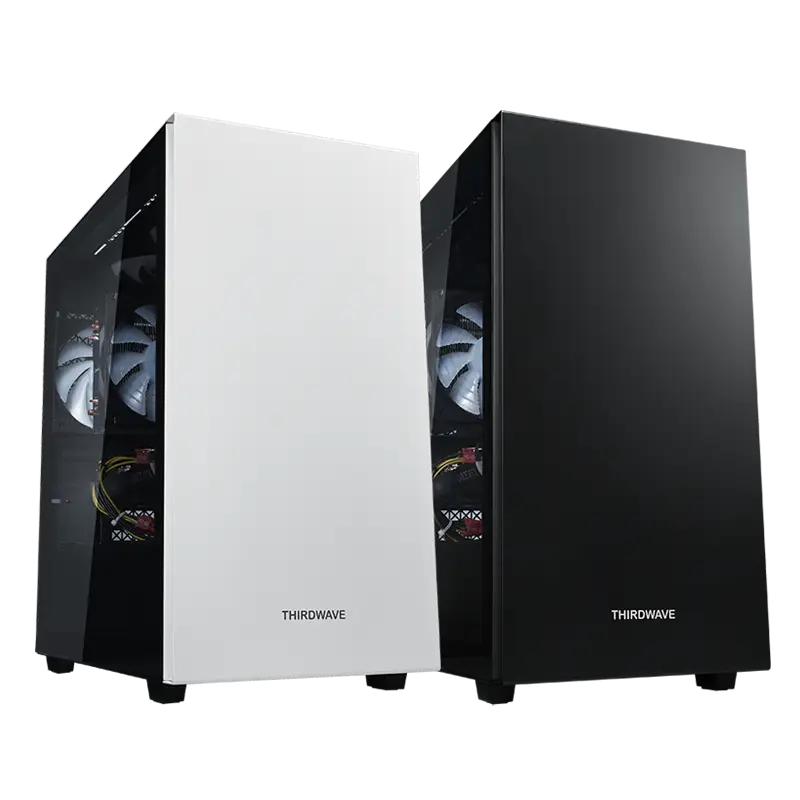
パソコン専門店ドスパラのおすすめコスパ重視デスクトップパソコン(PC)

OS:
CPU:
グラフィック:
メモリ:
ストレージ:

円(税込)

ホワイトカラー

ブラックカラー

OS:
CPU:
グラフィック:
メモリ:
ストレージ:

円(税込)

ホワイトカラー

ブラックカラー

OS:
CPU:
グラフィック:
メモリ:
ストレージ:

円(税込)

ホワイトカラー

ブラックカラー

<> /*-----------初期化*/ #text-base-page .c-headline__h2 { transform: none; } /*-----------ランキング商品*/ @media screen and (max-width: 767px) { .grid-x.ranking-model { flex-wrap: nowrap; overflow-x: scroll; } } /*-----------ランキング商品下部リンクボタン*/ @media screen and (max-width: 767px) { #text-base-page .link-btn .grid-container a { font-size: 14px; line-height: 1.2; } .product-list .grid-margin-x>.small-12 { width: calc(90% - var(--grid-gap-fluid)* 2); } } /*-----------おすすめランキングリスト*/ @media screen and (max-width: 767px) { #text-base-page #ranking-list__wrapper .grid-container a { font-size: 12px; line-height: 1.2; } #ranking-list__wrapper .c-button--primary-white::after { right: 8px; } } /*-----------250625 白黒ボタン用*/ .ranking-model__item .ranking-model__button .c-button--primary-white { color: #000; background: #fff; border: 1px solid #000; } .ranking-model__item .ranking-model__button .c-button--primary-white::before { background-color: #ccc; opacity: 0.2; } .ranking-model__item .ranking-model__button .c-button--primary-white::after { border-right: 2px solid #000; border-bottom: 2px solid #000; } .ranking-model__item .ranking-model__button .c-button--primary-black { color: #fff; background: #000; border: 1px solid #000; } .ranking-model__item .ranking-model__button .c-button--primary-black::before { background-color: #a3a3a3; opacity: 0.3; } .ranking-model__item .ranking-model__button .c-button--primary-black::after { border-right: 2px solid #fff; border-bottom: 2px solid #fff; } .ranking-model__item .ranking-model__button { width: 100%; margin-top: 0.5rem; } /*新ケース対応*/ .ranking-model .ranking-model__transparent-flex { display: contents; } .ranking-model .ranking-model__spec { width: 100%; margin: 0.75rem 0 0.5rem; font-size: 12px; } .ranking-model__item .ranking-model__button a { width: 100%; } .ranking-model__item .ranking-model__button .c-button--gunmetal { background: #666; color: #fff; } .ranking-model__item .ranking-model__button .c-button--gunmetal::after { border-color: #fff; right: 7px; } .ranking-model__item .ranking-model__button .c-button--white { background: #fff; color: #484848; border-color: #484848; } .ranking-model__item .ranking-model__button .c-button--white::after { border-color: #484848; right: 10px; } .ranking-model__item .ranking-model__button .c-button--black { background: #000; color: #fff; } .ranking-model__item .ranking-model__button .c-button--black::after { border-color: #fff; right: 10px; } .ranking-model__item { display: flex; flex-direction: column; background: #fff; padding: 1rem; border: 1px solid #a3a3a3; position: relative; } @media screen and (max-width: 767px) { .seo_sample_page_main section.link-btn{ line-height: 1rem; margin-bottom: 20px; } } .ranking-model__spec tr:nth-child(even) th .ranking-model__spec tr:nth-child(even) td { background: #eee; } .ranking-model__spec th{ text-align: left; } .ranking-model__pname { margin: 0.75rem 0 0.5rem; font-size: var(--text-base-page-font-nm); display: -webkit-box; overflow: hidden; -webkit-line-clamp: 2; -webkit-box-orient: vertical; } .ranking-model__price { display: flex; align-items: baseline; justify-content: flex-end; margin-top: auto; font-size: var(--text-base-page-font-lg); font-weight: 700; color: #e43344; } .ranking_data_head { margin-top: 30px; font-size: 20px; line-height: 1.5; font-weight: bold; color: #484848; border: solid 1px #ccc; padding: 5px; } @media screen and (max-width: 767px) { .ranking_data_head { font-size: 14px; } } .ranking-model__price span.yen{ font-size: 20px; } @media screen and (max-width: 767px) { .-processed-key-amttaxnounit{ font-size: 30px } } .c-button--gunmetal{ font-size: 12px; } .c-button--white{ font-size: 12px; } .cell.small-6.get_ranking_data.ranking_gunmetal{ margin: 0; width: 45%; margin-left: 3%; margin-top: 5%; margin-bottom: 5%; } .cell.small-6.get_ranking_data.ranking_white{ margin: 0; width: 45%; margin-left: 3%; margin-top: 5%; margin-bottom: 5%; } .grid-margin-y:not(.grid-y) > .cell { height: auto; padding: 1%; margin: 1%; width: 31%; } @media screen and (max-width: 767px) { .grid-margin-y:not(.grid-y) > .cell { margin: 3%; width: 81%; padding: 2%; } } @media screen and (max-width: 767px) { div.btn-area-width-01{ margin-top: 40px; margin-bottom: 45px } } p.ranking-model__catchcopy{ min-height: 70px; } @media screen and (max-width: 767px) { p.ranking-model__catchcopy{ min-height: 50px; } }
パソコン専門店ドスパラのおすすめゲーミングデスクトップパソコン(PC)

OS:
CPU:
グラフィック:
メモリ:
ストレージ:

円(税込)

OS:
CPU:
グラフィック:
メモリ:
ストレージ:

円(税込)

OS:
CPU:
グラフィック:
メモリ:
ストレージ:

円(税込)

H2 関連記事ブロック

<> h3.ranking-model__pname.-processed-key-pname { font-size: 15px; } p.ranking-model__catchcopy.-processed-key-catchcopy { font-size: 12px; } .staff-review-pc-sp{ display: none; } @media screen and (max-width: 767px) { .staff-review-pc-sp{ display: block; width: 70%; margin-left: 15%; margin-bottom: 35px; } } .article-list-block p { margin-top: 0; } .article_list_wrap { border: 1px solid #CCC; margin-bottom: 25px; overflow: hidden; padding: 16px 12px; } @media screen and (max-width: 767px) { .article_list_wrap { padding: 10px; } } .article_list_wrap h2 { font-size: 18px; font-weight: bold; margin-bottom: 1rem; } ul.articlelinkList { float: left; font-size: 12px; margin: 0 10px 0 0; width: 100%; } ul.articlelinkList:last-child { margin-right: 0; } ul.articlelinkList li { margin: 4px 0 1em; padding-left: 1em; display: flex; align-items: center; gap: 10px; } @media screen and (max-width: 767px) { ul.articlelinkList li { padding-left: .4em; } } .articlelinkList li img { width: 80px; max-width: 80px; } .ellipsis { display: block; overflow: hidden; text-overflow: ellipsis; /*white-space: nowrap;*/ padding-left: 1em; line-height: 1.6; padding-left: 0; } @media screen and (max-width: 767px) { .ellipsis { display: -webkit-box; -webkit-box-orient: vertical; /*-webkit-line-clamp: 2;*/ line-clamp: 2; white-space: normal; padding-left: 0; } } #showMore { margin: 0 auto; width: 200px; }