AI.duino integrates the API providers ClaudeChatGPTGeminiMistralPerplexity and CohereCroqaggregator services OpenRouter and Hugging Faceand local providers LM Studio and Ollama. It also works with VS Code. Please use the newest Version to avoid annoying bugs.
Since V2.6.0AI.duino supports full Agentic Coding: Unlike traditional AI chatAgentic Coding allows the AI to directly readmodify and write your project files — no copy-pasting required. The AI can verify its changes by compiling the code and fixing errors autonomously. It supports Claude CodeCodex CLIMistral VibeOpenCodeGemini CLIGroq Code Ollama Agentic. All these providers need additional software installed.
Note
Groq ist not Grok! AI.duino is Elon-free!
OjeEnglisch? Kann ich nicht. Schnell hier hin.
🆕 What's new?
- 02.03.2026 Release V2.6.1 with an urgent API key bugfix.
-- More news? Check the newsblog.
The plugin uses the language selected in your IDE preferences. If it's a non-IDE languageselect in in the plugin menu. Supported are:
bgbscsdadeelenesetfifrhrhuisitjakoltlvmkmtnlnoplptroskslsqsrsvtrukzh.
Noi don't speak all these languagesthe locales were generated by Claude Opus. You can add your own
language bei adding a xx.on file to your locales/ folder
Optimizes Code. Example: Converts blocking code into non-blocking variantsdelay() is replaced with millis()-based implementations.
Explains complex Arduino commands and hardware registers in plain language.
Adds meaningful comments to existing code.
Explains compiler error messages and provides concrete solutions. When using this featureyou copy the error message from the Arduino output window.
Ask something with or without marked code. You can ask further context-related.
- Analysis of Serial Monitor output
- Hardware diagnostics for common problems
- Timing analysis
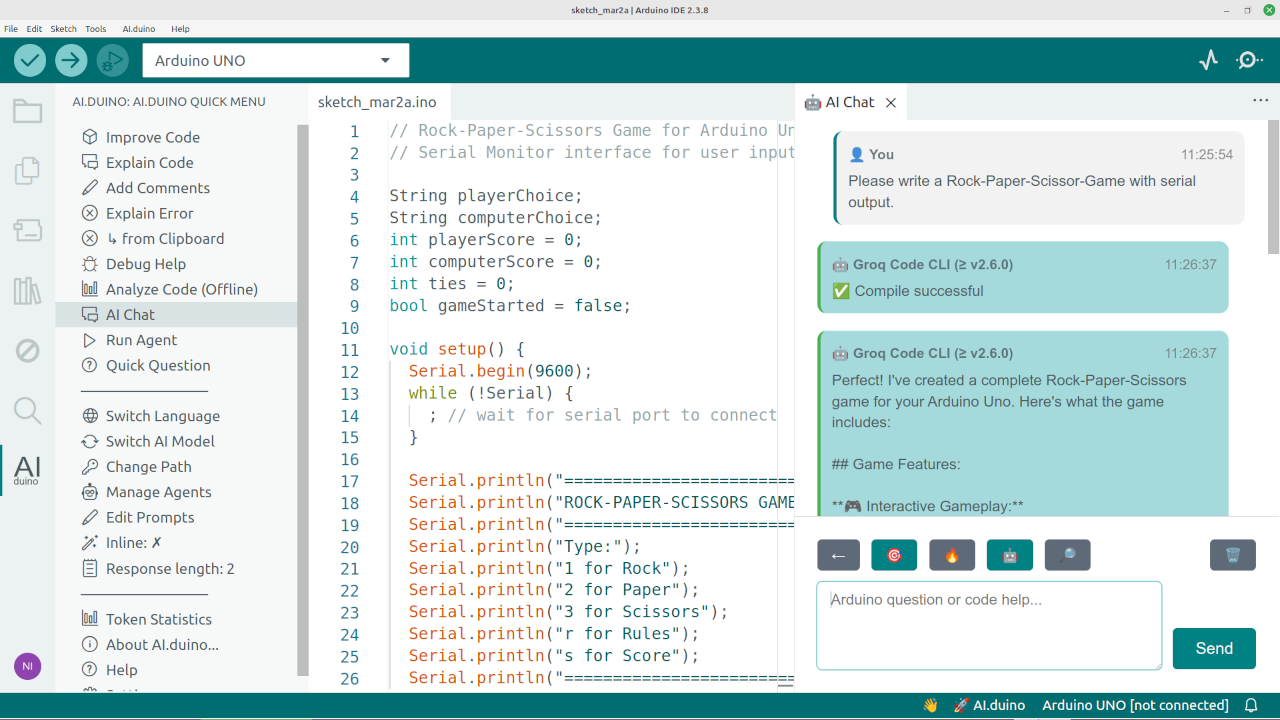
Multiple chats like in the browser but integrated in the IDE with history based persistance. Claude Code provides full session persistance. You can add files content. All feature results can be discussed here too.
Let the AI do some tasks for youlike error checking after compiling. Agents can include build outputs and additional internal and external files .
Gives some information about the current file.
AI will suggest code completion behind common keywords like Serial. and in comments ending with ':'.
Example: // Let the LED blink for three times:. Press to accept the suggestion.
You can select a different providerGroq is fastfree and recommended for inline completion.
The provider settings will be updated when availabe. They will be generated automatically every week. The extension is checking itself and will inform the user for new version updates.
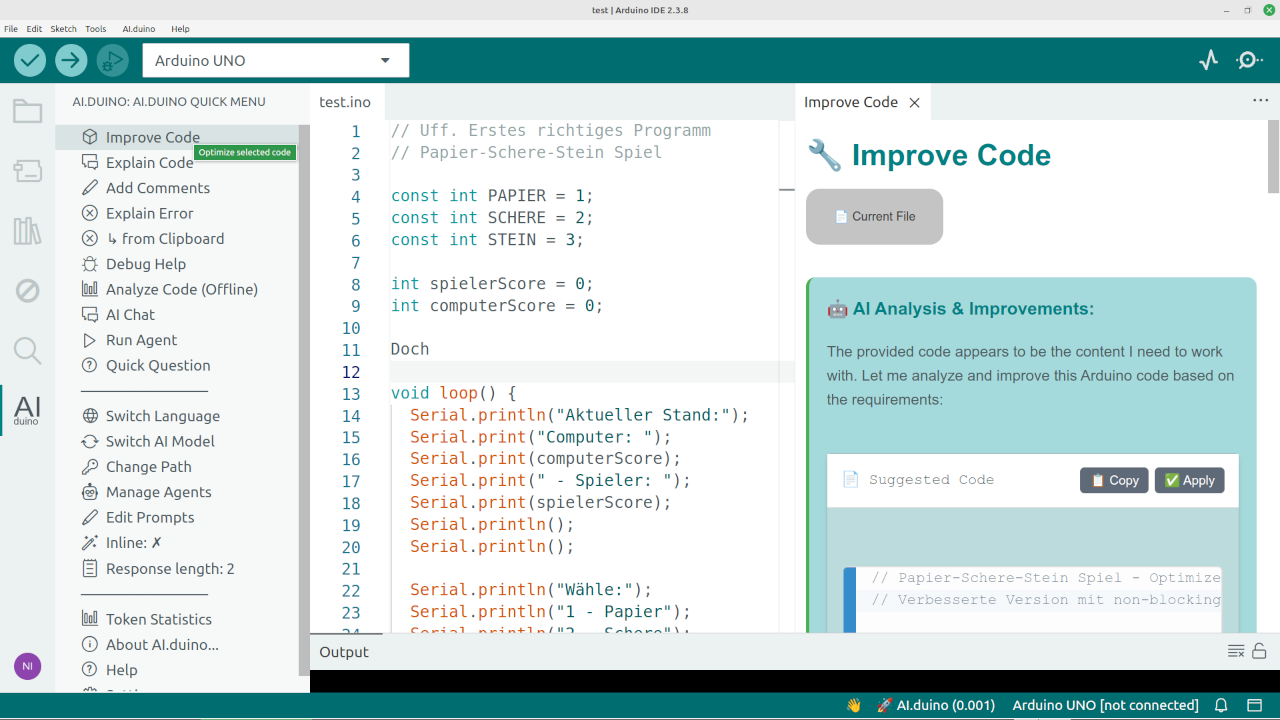
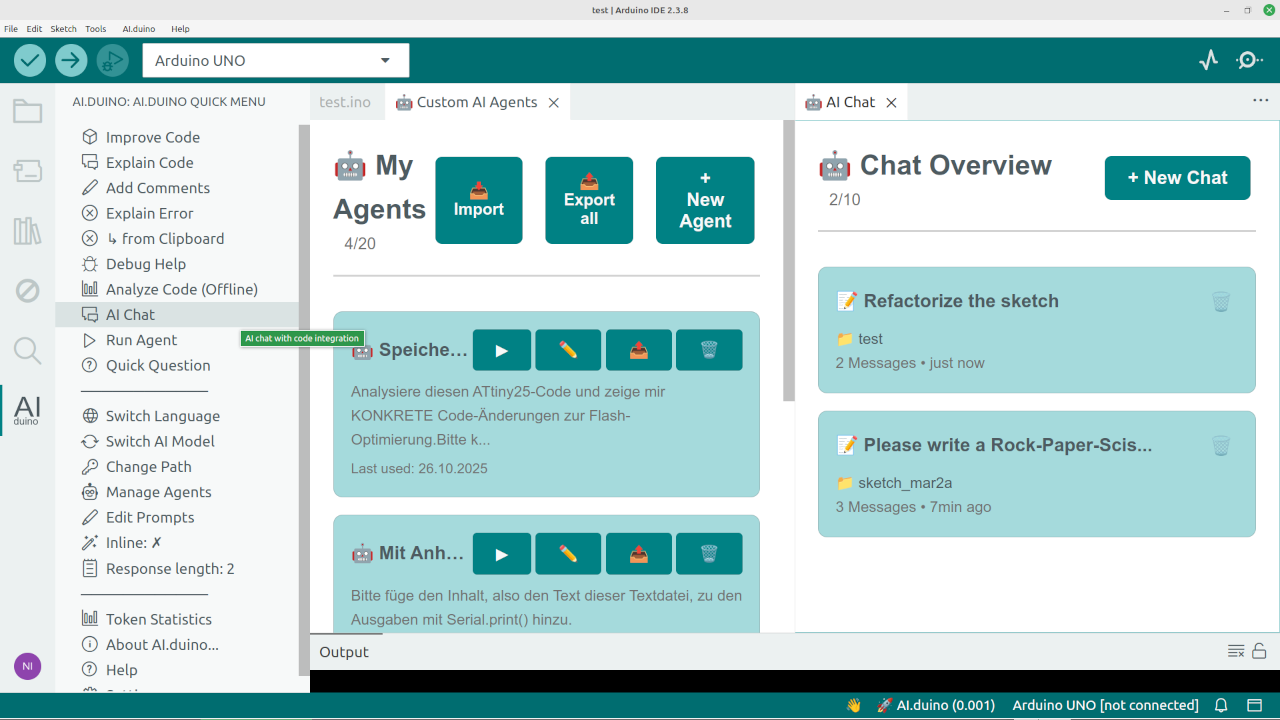
- Select code in Arduino IDE
- Right-click →
AI.duino→ Choose function in the menu above
Ctrl+Shift+C(Windows/Linux) orCmd+Shift+C(Mac)- Press the
AI.duinobutton below - Enter Ai.duino menu through the side tree bar
You can toggle the Chat to be agentic by pressing the second Button from the right. Nowthe AI has access to the folder your file is located in. Remember that you need additional Software.
You need the VSIX file aiduino.vsix in the same folder with the installer. The installer will install the plugin in your home folder. If you want to install it into the Arduino programm directorysee Manual installation.
Run install_arduinoplus_windows.bat as administrator
chmod +x install_aiduino_linux.sh
./install_aiduino_install_linux.sh
chmod +x install_aiduino_macos.sh
./install_aiduino_Install_macos.sh
Add read permissions to each folder and file. Copy the prepared aiduino folder to the Arduino IDE plugin directory.
C:\Program Files\Arduino IDE\resources\app\plugins\
/Applications/Arduino IDE.app/Contents/Resources/app/plugins/
/usr/share/arduino/resources/app/plugins/
or
~/.local/share/arduino-ide/resources/app/plugins/
You can completly remove the extension in the AI.duino settings panel bei clickung the uninstall button. Are you sure? Are you really REALLY sure?
If you installed AI.duino manually into the plugin folderyou need to remove it by yourself. AI.duino has no permissions to do that.
AI.duino communicates through the API with the AIs. It's impossible to connect through the web interfaceso an API key is mandatory. If you already have a monthly paid accountyou need to - sigh - buy an additional key for about $5. Fortunatlythis really lasts long. Some Providers like Mistral give API-Keys for freewhen aou have a monthly paid account.
Tip
You can try Groq and Gemini: They have a rate for API keys for free.
Required: An API key from either:
- Claude: https://console.anthropic.com
- ChatGPT: https://platform.openai.com
- Gemini: https://makersuite.google.com
- Mistral: https://console.mistral.ai
- Perplexity: https://www.perplexity.ai/settings/api (Untested)
- Cohere: https://dashboard.cohere.ai (Untested)
- Croq: https://console.groq.com
- OpenRouter: https://openrouter.ai/settings/keys (>= V2.5.0)
- Hugging Face: https://huggingface.co/settings/tokens (Untested>= V2.5.0)
- Fireworks: https://app.fireworks.ai/login?redirectURI=%2Fsettings%2Fusers%2Fapi-keys (Untested>= V2.5.0)
- Together: https://api.together.xyz/sso-signin?redirectUrl=%2Fsettings%2Fapi-keys (Untested>= V2.5.0)
The keys are stored locally and not transmitted.
For Agentic Coding required: a process provider from either:
- Claude Code: https://code.claude.com/docs
- Codex CLI (ChatGPT): https://github.com/openai/codex
- Mistral Vibe: https://docs.mistral.ai/mistral-vibe/introduction
- OpenCode: https://opencode.ai/docs/
- Gemini CLI: https://geminicli.com/docs/get-started/authentication/
- Groq Code: https://github.com/NikolaiRadke/groq-code-cli
- Ollama: https://ollama.com/
Some of these Local providers don't need an API key. If you have an accountfor example Pro Plan with Claudeyou can use Claude for no extra costs. HTTP based providers like Ollama get auto detectedprocess based providers like Claude Code only needs the path to the binarywhich should be detected too. if nottry which claude (Linux/macOS) or where claude (Windows) and copy the path for the AI.duino input field when selecting Claude Code.
AI.duino/
Root directory with some explanation files
|
├── aiduinio/
|   The plugin directory structure for manual installation.
└── installer/
    Installer files with plugin VSIX file
- Arduino+ - Essential IDE helpers for Arduino development.
- Extension Manager - Manage your Arduino IDE 2.X extensions.
AI.duino is free and open source. If it saved your dayconsider buying me a coffee! ☕


Every contribution helps keep this project alive! 🚀
