Odd Fidelity transactions "cover short sale (CvrShrt)".

Quicken Windows
Updated just now and have various accounts showing transactions marked "cover short sale (CvrShrt)".
My Fidelity account shows none of these.
Anyone else have an issue?
Best Answer
-
I got these also today. Simply deleting those bogus transactions left my Q account in good shape.
Quicken user since version 2 for DOSas of 2025 using QWin Premier (US) on Win10 Pro & Win11 Pro on 2 PCs.
1

Answers
-
See this:
[Edited - Enabled Link]
Q user since February1990. DOS Version 4
Now running Quicken Windows SubscriptionBusiness & Personal
Retired "Certified Information Systems Auditor" & Bank Audit VP0 -
I am having the same issue. After restoring my last backupI had to reconnect ALL of my 11 Fidelity accounts only to get the same results. Not happy.
-1 -
It happened to 3 or 4 of my accounts. I haven't accepted any of the transactionsbut for some reason 1 added to the account anyway.
My other question would bewhen Quicken and Fidelity figure out the fixwill it automatically remove the transactions or do I need to figure it out?
0 -
I got these also today. Simply deleting those bogus transactions left my Q account in good shape.
Quicken user since version 2 for DOSas of 2025 using QWin Premier (US) on Win10 Pro & Win11 Pro on 2 PCs.
1 -
@Rocket J Squirrel Thank you
0 -
I got this for 2 Fidelity accounts. It leaves an unsettling feeling that the Fidelity/Quicken connection is unstable.
I reported the problem so that it is logged as still happening. Hopefullyit doesn't occur again or get worse.
Deluxe R65.29Windows 11 Pro
0 -
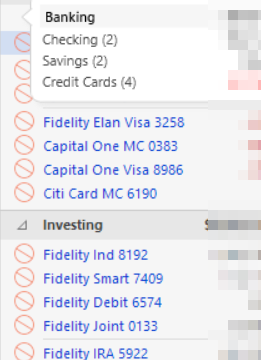
Bigger problem. After getting the CvrShrt issue in QuickenI restored yesterday's backup and attempted a download to see if that would correct the CvrShrt issue. Now Quicken reports all accounts (even non-Fidelity) cannot be downloaded.
Deluxe R65.29Windows 11 Pro
0 -
This morning none of my 14 Fidelity Accounts downloaded. I don't recall the exact error but it indicated there may be a server problem and I could try again. I waited a few minutes and tried again. This time I got no errors but:
- I got two of the bogus CvrShrt transactions (which I deleted). Both were in the same account.
- Two actual transactions from yesterday did not download. These were in two other accounts. One was a direct deposit and one was a direct debit.
- I had no other Fidelity transactions from yesterday.
0 -
Same here. Happened to me on 2/11. I deleted these transactions. Hopefully that's it. We will see tomorrow.
0 -
Okaythe rest of the storywhen restoring a backup it is important to wait a few minutes before trying a download of transactions. The Quicken/Cloud connection may not have resync'd for the restored backup and all accounts may display as disconnected and unable to reconnect. I eventually disconnected every account and was able to reconnect. I suspect I introduced a problem by trying to download too quickly after a backup restore.
Quicken support monitored my actions by shared screen and phone. They were very patient and helpful.
Just a side noteeven more CvrShrt transactions were downloaded after reconnecting.
UPDATE: After researching why all my accounts were disconnected after a restoreit turns out EWC and EWC+ accounts get disconnected after a restore. All my accounts are EWC+. Kind of an inconvenience. I also discovered if I use my datafile on my my laptop and go back to using in on my desktopall the accounts are disconnected.
Deluxe R65.29Windows 11 Pro
0 -
I also had multiple short sale transactions downloaded today. Thanks for the suggestion of just deleting the erroneous transactions. That's all it took and my accounts were in agreement again.
0 -
I have the same issue on 2 accountsthanx for the suggestion of deleting bogus entriesseems to work
0 -
UPDATE from this mornings download:
- I did not get any CvrShrt transactions.
- All 30 Fidelity transactions from Feb 11 downloaded correctly.
- The two missing transactions from Feb 10 still did not download. I added them manually.
0 -
I got more CvrShrt transactions again today.
0 -
I got a CvrShrt transaction in Fidelity account for the same amount of a payment to Citicard both dated the same. Really messed up.
Deluxe R65.29Windows 11 Pro
0 -
I got one CvrShrt transaction this morning. This time Quicken wanted to add balance adjustment transactions to the core account. I deleted the CvrShrt and the balance adjustments. After my deletionsthe affected account's balance is correct.
0 -
I updated to R66.12 this morning (2/13/26). I then downloaded fidelity transactions. I got one cvrshrt transaction dated 2/10/26 that was bogusdeleted this transaction and all was correct. So still a problem…
0 -
I am getting these CvrShrt downloaded transactions as well. They seem to have coincided with entries I'm seeing at Fidelity on the Activities and Orders page that begin with REDEMPTION FROM CORE ACCOUNT …
I don't recall seeing these entries before this problem. I'd rather not see them on the Fidelity page either as they don't impact the cash balance on the Activities and Orders page. These entries don't show up on the Manage cash & cards page under Transactions at Fidelityso it is still working okay there.
If the download didn't pick up these REDEMPTION FROM CORE ACCOUNT entriesI think everything would go back to normal on Quicken. Fidelity should fix the Activities and Orders page at their site too.
0 -
Never mind… searching jumped me down the thread and I missed the answer/ticket at first.
I also have the CvrShrt transactions on a couple of accounts where I bought shares of a stock. The CvrShrt transaction is a "duplicate" transaction equal to the stock purchase amount. These only show up once on my Fidelity account and just as the stock purchase (not cover short transaction). Not sure why these are showing up. I'm running Quicken R65.29.Quicken Classic Premier (US) Subscription: R65.15 on Windows 11 Pro
0 -
BtwI do this frequently (share a single data file between a laptop and desktop) and I never have disconnects. I always ensure I'm running the same patch (e.g.R65.29) on both PCs.
Quicken Classic Premier (US) Subscription: R65.15 on Windows 11 Pro
1

Categories
- All Categories
- 46 Product Ideas
- 34 Announcements
- 248 AlertsOnline Banking & Known Product Issues
- 22 Product Alerts
- 513 Welcome to the Community!
- 679 Before you Buy
- 1.4K Product Ideas
- 55.4K Quicken Classic for Windows
- 16.8K Quicken Classic for Mac
- 1K Quicken Mobile
- 830 Quicken on the Web
- 123 Quicken LifeHub