



 本文详细介绍如何在uniAPP项目中实现推送功能,包括配置推送服务、客户端代码实现、监听消息及后台代码处理流程。
1.在uni APP项目中manifest.on中,找到APP sdk模块中推送选中即可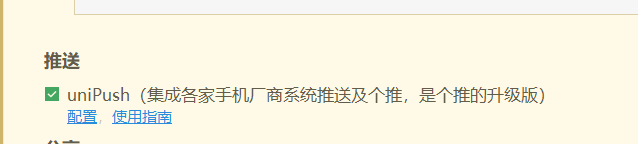
2.点击配置
跳转到dcloud开发者后台,找到自己的UNI APP项目点进去
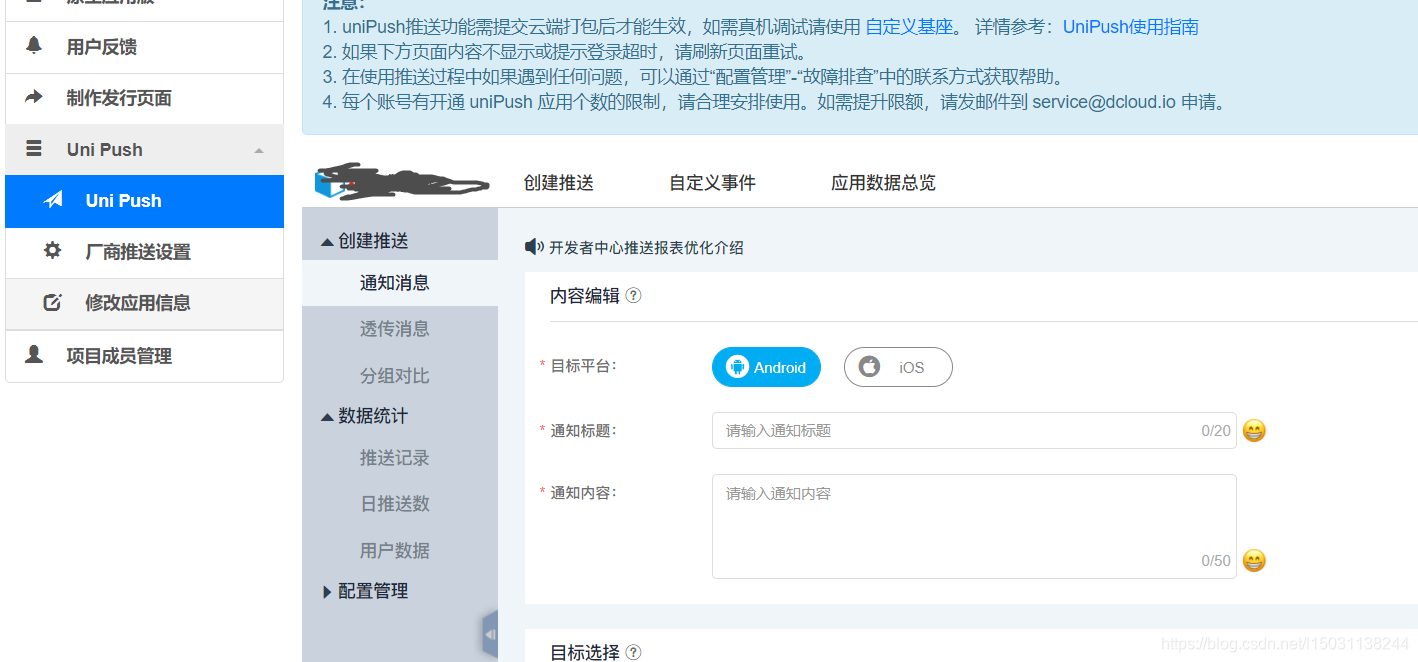 找到uni push 点击开启按照网站标准提示添加安卓以及IOS相关信息。
3.保存页面信息
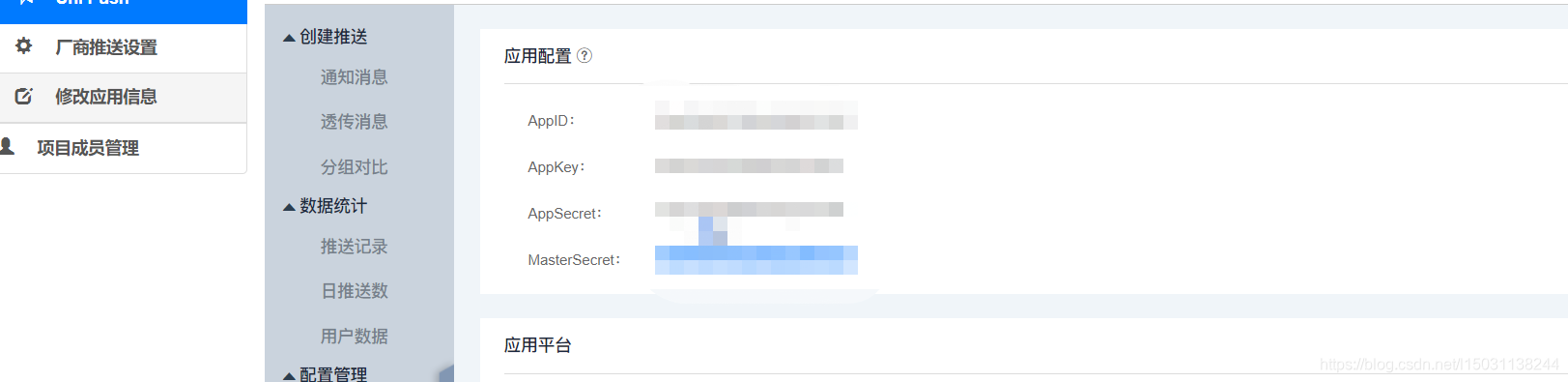
Appid、APPKey、MasterSecret这三项内容
4.APP端代码
const clientInfo = plus.push.getClientInfo()
let pushUser = {
clientid: clientInfo.clientid,
appid: clientInfo.appid,
appkey: clientInfo.appkey,
userName: '用户名',
userRole: '用户角色'
}
将 clientInfo.clientid 保存到数据库,此项内容是此APP及手机的唯一标识通过此项值将信息推送到手机上。
监听消息 在app.vue 的onLaunch方法内添加如下代码
const _self = this
const _handlePush = function(message) {
// 获取自定义信息
let payload = message.payload
try {
// JSON解析
payload = JSON.parse(payload)
//讲内容打印到控制台
console.log(payload)
// 携带自定义信息跳转应用页面
/* uni.navigateTo({
url: '/pages/xxx?data=' + JSON.stringify(payload)
}) */
} catch(e) {}
}
// 事件处理
plus.push.addEventListener('click'_handlePush)
plus.push.addEventListener('receive'_handlePush)
5.后台代码处理
import java.util.ArrayList;
import java.util.List;
import com.gexin.rp.sdk.base.IPushResult;
import com.gexin.rp.sdk.base.impl.ListMessage;
import com.gexin.rp.sdk.base.impl.Target;
import com.gexin.rp.sdk.http.IGtPush;
import com.gexin.rp.sdk.template.NotificationTemplate;
import com.gexin.rp.sdk.template..Style0;
public class UniPushTest {
// STEP1:获取应用基本信息
private static String appId = "";
private static String appKey = "";
private static String masterSecret = "";
private static String url = "http://sdk.open.api.igexin.com/apiex.htm";
//初始化连接
private static IGtPush push = new IGtPush(urlappKeymasterSecret);;
public static void main(String[] args) {
IGtPush push = new IGtPush(urlappKeymasterSecret);
Style0 = new Style0();
// STEP2:设置推送标题、推送内容
.setTitle("标题");
.setText("内容 ");
// .setLogo("push.png"); // 设置推送图标
// STEP3:设置响铃、震动等推送效果
.setRing(true); // 设置响铃
.setVibrate(true); // 设置震动
// STEP4:选择通知模板
NotificationTemplate template = new NotificationTemplate();
template.setAppId(appId);
template.setAppkey(appKey);
template.setStyle();
// STEP5:定义"AppMessage"类型消息对象,设置推送消息有效期等推送参数
List<String> appIds = new ArrayList<String>();
appIds.add(appId);
ListMessage message = new ListMessage();
message.setData(template);
//message.setAppIdList(appIds);
message.setOffline(true);
message.setOfflineExpireTime(1000 * 600); // 时间单位为毫秒
List<Target> targetList = new ArrayList<>();
Target target = new Target();
target.setAppId(appId);
target.setClientId("");
targetList.add(target);
// STEP6:执行推送
IPushResult ret = push.pushMessageToList(push.getContentId(message)targetList);
System.out.println(ret.getResponse().toString());
}
}
服务包资源地址 https://download.csdn.net/download/l15031138244/12546061
uni APP自定义调试基座地址 https://ask.dcloud.net.cn/article/35115





 扫一扫
扫一扫


&spm=1001.2101.3001.5002&articleId=106924167&d=1&t=3&u=a913d61074884eba809585864328e8c6)
 882
882


 到【灌水乐园】发言




