
There are several ways to subscribe to PEP-Web. In each caseyou will want to create and use your own credentials to get the most out of the platform’s new features.
Logging In
This page walks you through the first steps of logging inonce you have an active subscription.
Find out here how to Log-In to PEP-Web:
- As an Individual or member of a Group
- Through an Institutional Library Website
- Through Off-Campus Federated or OpenAthens Access
Individual or Group Subscription
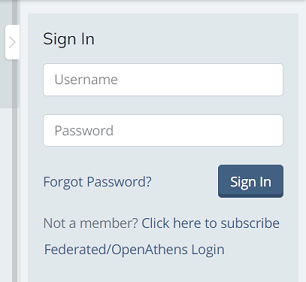
Once you have received your welcome email and you have a username and passwordgo to PEP-Web and Log-In using the Sign In form located in the right-hand side panel. Note that the side panels can be opened and closedso make sure you have the panel open by clicking on the arrow tab:
Institutional Library Website
Your university or institution’s library has an agreement that PEP can be accessed from select IP addresses on campus or remotely via a proxy IP address. By accessing PEP-Web via your university or institution’s library terminals on campus or remotely through the library’s online portal (library webpages)you have complete access to PEP-Web without the need to Sign In to an account on PEP. Your access to full content on PEP via your university or institution is confirmed on the Sign In form:
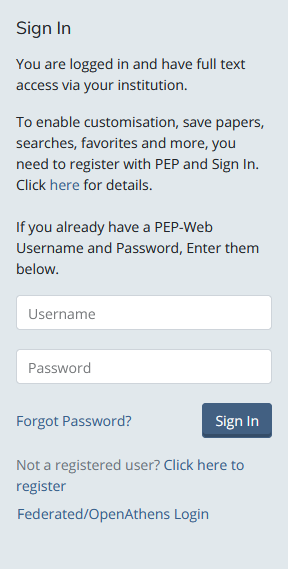
Once herewe strongly recommend that you consider Logging-In to a PEP account using your own credentials. This will enable you to use the full range of PEP’s features and personalise your experience. To do thisyou will need a username and password:
- Registering As a New User: Creating a Personal Account
If this is your first visit through your institution’s websiteyou will need to create a username and password. This is a simple and free process:
On the Sign In formclick on the link“Click here to register”
This will take you to the following page on the Psychoanalysts Database System (PaDS) website:
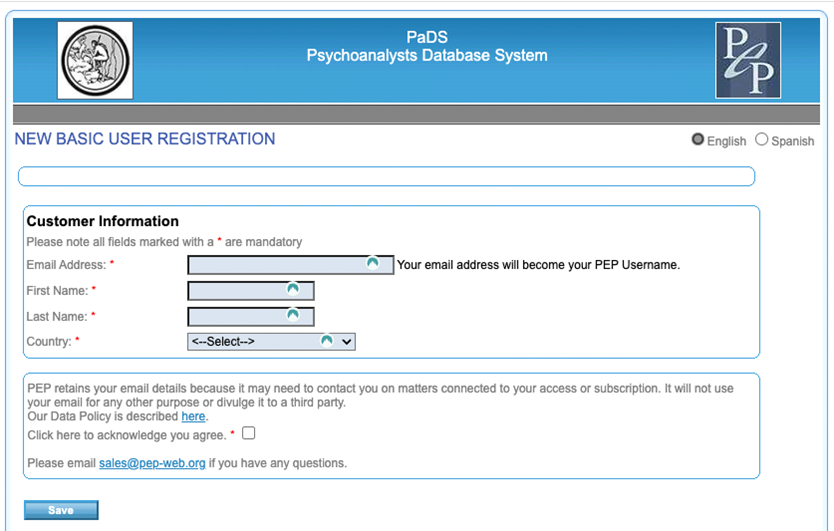
Enter your details in the form and click the “Save” button.
Nextyou will be asked to create a password.
You are now able to access PEP-Web directly or via your institution’s library and then logging in using the Sign In form (as shown above).
- Password Reset: What To Do If You Have a Username But No Password
If you have used PEP-Web before and believe you have an account OR if you have forgotten your passwordyou will need to follow these steps:
On the Sign In formclick on the link“Forgot password”:
You will be directed to the following page on the Psychoanalysts Database System (PaDS) website:
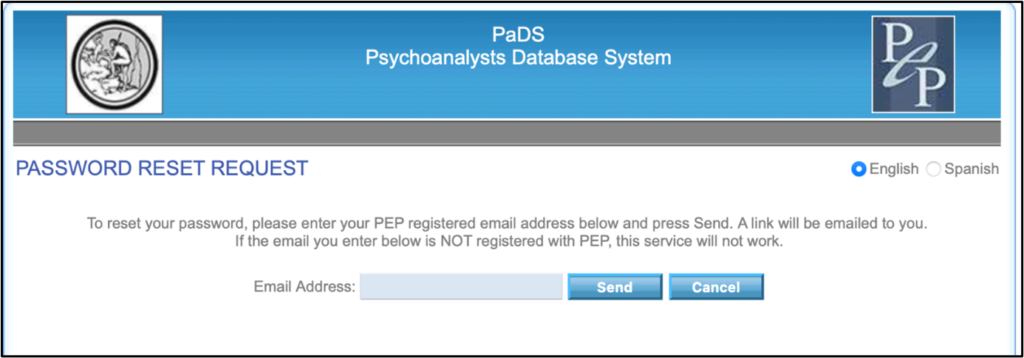
Enter your email address and click “Send”.
You will receive the below email from [email protected]. This may take up to 24hrs and it may end up in your Spam folder—please check!
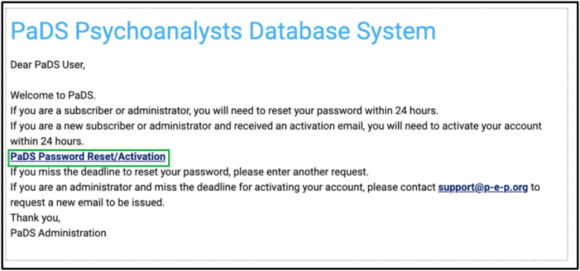
In the emailclick on the hyperlink to reset your password.
This will take you to the following page:
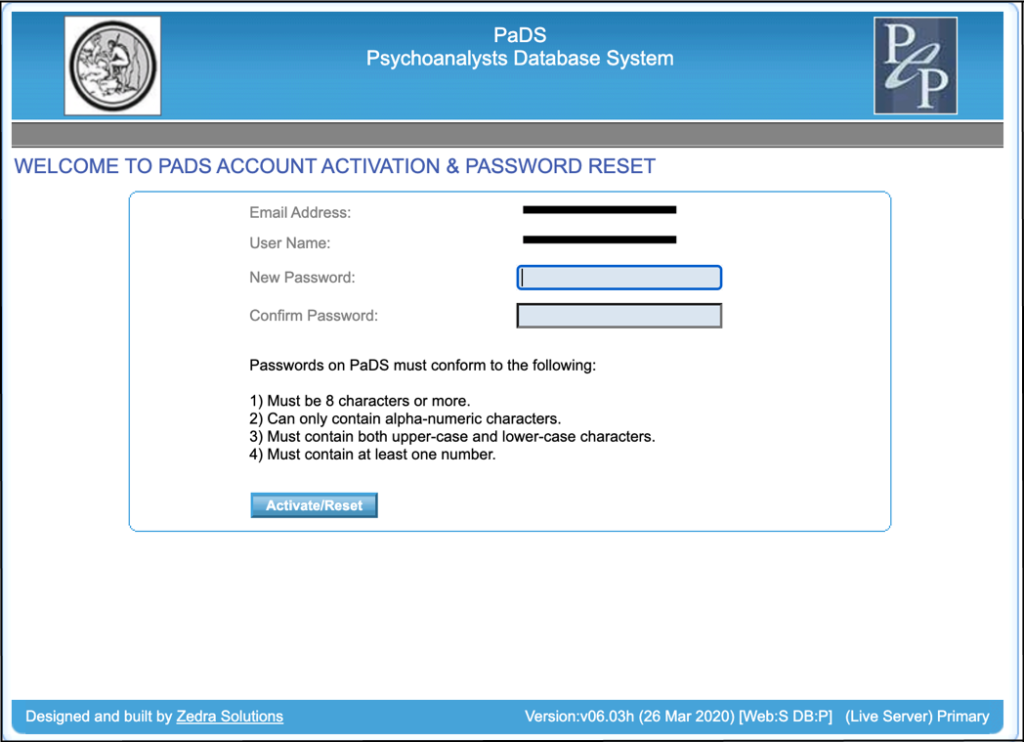
Enter and confirm your new passwordand then click on the “Activate/Reset” button.
Once you have activated your new passwordthe system will take you to the following page:
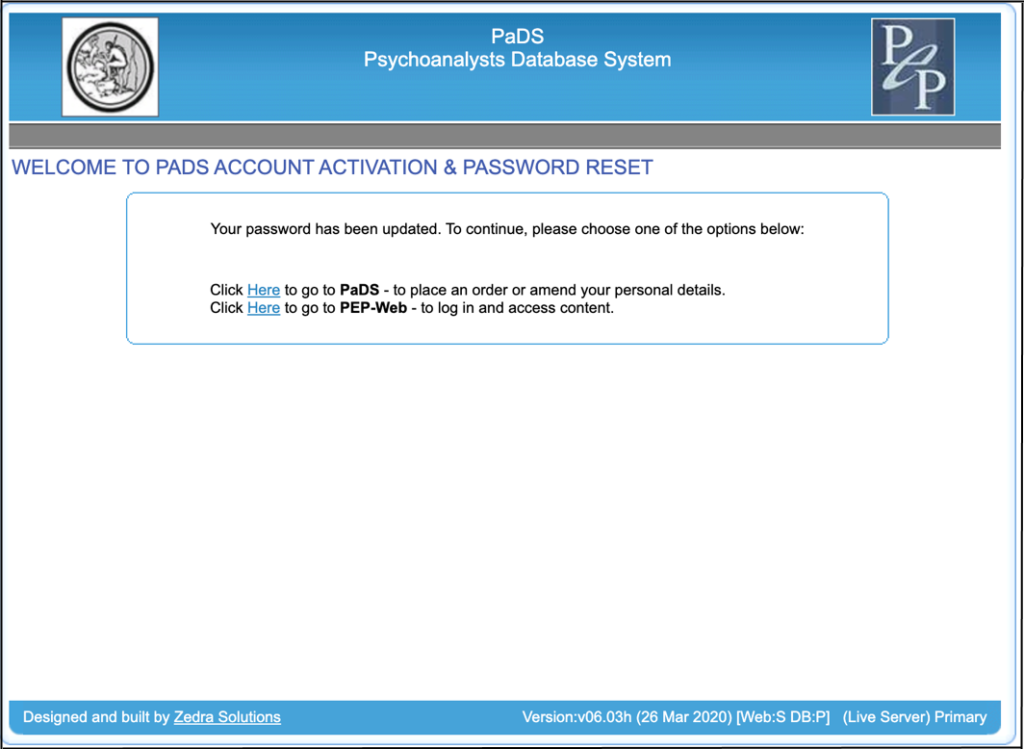
From hereyou can click on the link to return to PEP-Web.
You are now able to access PEP-Web directly or via your institution’s library and then logging in using the Sign In form (as shown above).
Off-Campus Federated or OpenAthens Access
In some casesyour university or institution will allow you access to PEP-Web when not on campus. This may be through services like OpenAthens. When opening PEP-Webyou will find the following Sign In form located in the right hand side panel. Note that the side panels can be opened and closedso make sure you have the panel open by clicking on the arrow tab:
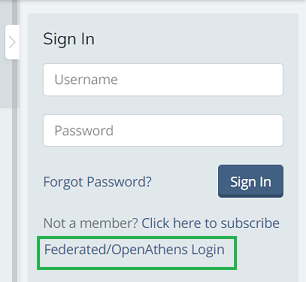
In order to access PEP-Webclick on the link“Federated/OpenAthens Login”.
If you are enabled to Log-In through Federated accessyou will see the following Sign In form:
This confirms you now have access to PEP-Web.
To Sign Inplease follow the steps outlined above.
Help Topics and Videos Tutorials
For further support on how to make the most of your PEP-Web accountsee the Help Topics and Video Tutorials page.
Password Reminder
- Passwords are case sensitive.
- The system interprets the space “ “ as a character. Take care not to copy and paste passwords or usernames in order to avoid entering an extra space.
Troubleshooting
If you are experiencing difficulties logging in with your passwordconsider the following:
- Clear your cache
- Clear cookies
- Try a different browser.
- Try another device.
If the issue persists or you find yourself unable to Log-Inplease contact: [email protected]
If you would like to provide feedback about your experience using PEP-Web or to report an issuethere’s now an integrated reporting mechanism on PEP-Web. Read more here.