


Thunderbird won't login to ATT Yahoo mail (With new suggested settings and Oauth2 password)
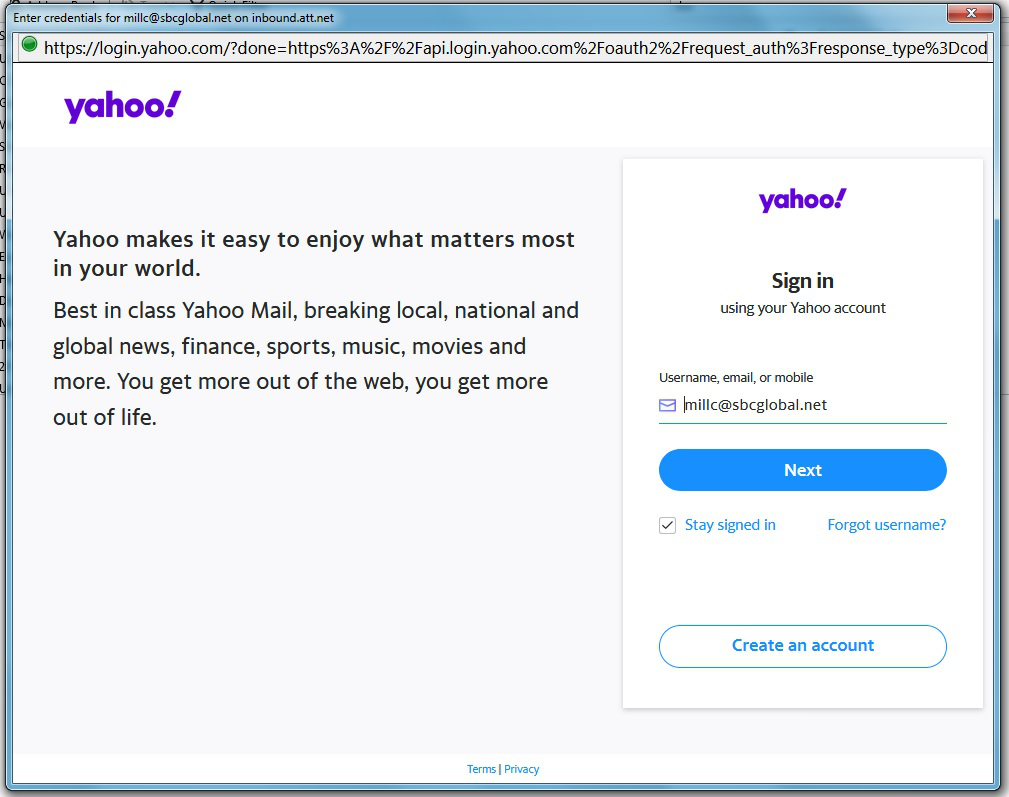
Cannot access Yahoo mail for about two weeks now with T-bird. I am using the latest version with inbound.att.net and outbound.att.net with Oauth2 selected. I have an Oauth password from AT&Twhen I try to use this I get a pop up that asks me for sign in credentials. When attempting sign in it says I need to enable cookies. (Firefox) I have given "cookie" permission to https://att.comhttps://yahoo.comhttps://login.yahoo.com. Can't get past thisany suggestions or additional permissions I might try?
Chosen solution
Cookies must be enabled in TB Options/Privacy for OAuth2and while TB supports OAuth2 for Yahoo accounts on imap.mail.yahoo.compop.mail.yahoo.com and smtp.mail.yahoo.comI wasn't aware it would work with the att.net serverseven though AT&T mail is based on Yahoo. In that casethe usual recommendation is to use a secure mail key in place of the account passwordand apply 'normal password' authentication instead of OAuth2. Is your 'Oauth password from AT&T' a secure mail key?
If you can get OAuth2 authentication to work with the att.net serversjust enter the regular account password in the OAuth browser windowand then a long oauth token will be stored in the TB password manager.
Read this answer in context 👍 1All Replies (3)
Chosen Solution
Cookies must be enabled in TB Options/Privacy for OAuth2and while TB supports OAuth2 for Yahoo accounts on imap.mail.yahoo.compop.mail.yahoo.com and smtp.mail.yahoo.comI wasn't aware it would work with the att.net serverseven though AT&T mail is based on Yahoo. In that casethe usual recommendation is to use a secure mail key in place of the account passwordand apply 'normal password' authentication instead of OAuth2. Is your 'Oauth password from AT&T' a secure mail key?
If you can get OAuth2 authentication to work with the att.net serversjust enter the regular account password in the OAuth browser windowand then a long oauth token will be stored in the TB password manager.
Enabling cookies workedI was able to complete authentication and download my messages. It was the Secure Mail Key passwordnot OAuth2 as I previously indicated.
My T-Bird is set to OAuth2 however (POP & SMTP)but it seems to work fine now.
Thank you! Brent
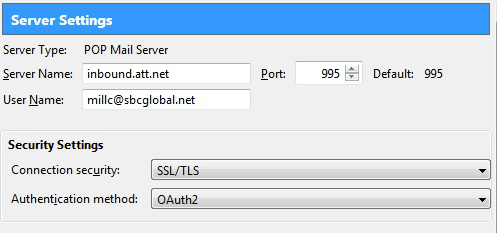
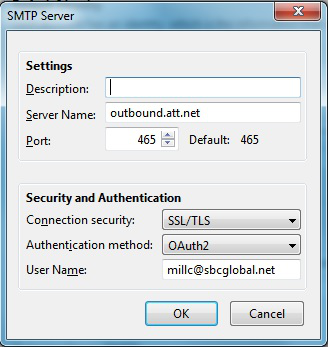
After months of not being able to get my emails through Thunderbired I finally solved this problem by creating an ATT Secure Mail Key and used it in place of my ATT account password.
See here how to create a Secure Mail Key: https://www.att.com/support/article/email-support/KM1240308